01
Pick a model
Choose a compatible Hugging Face model. Smart scheduling removes manual GPU selection for standard deployments.
Compute validates model requirements and prepares capacity, storage, and runtime configuration behind one API. Pick a model, deploy, and start serving on active capacity.
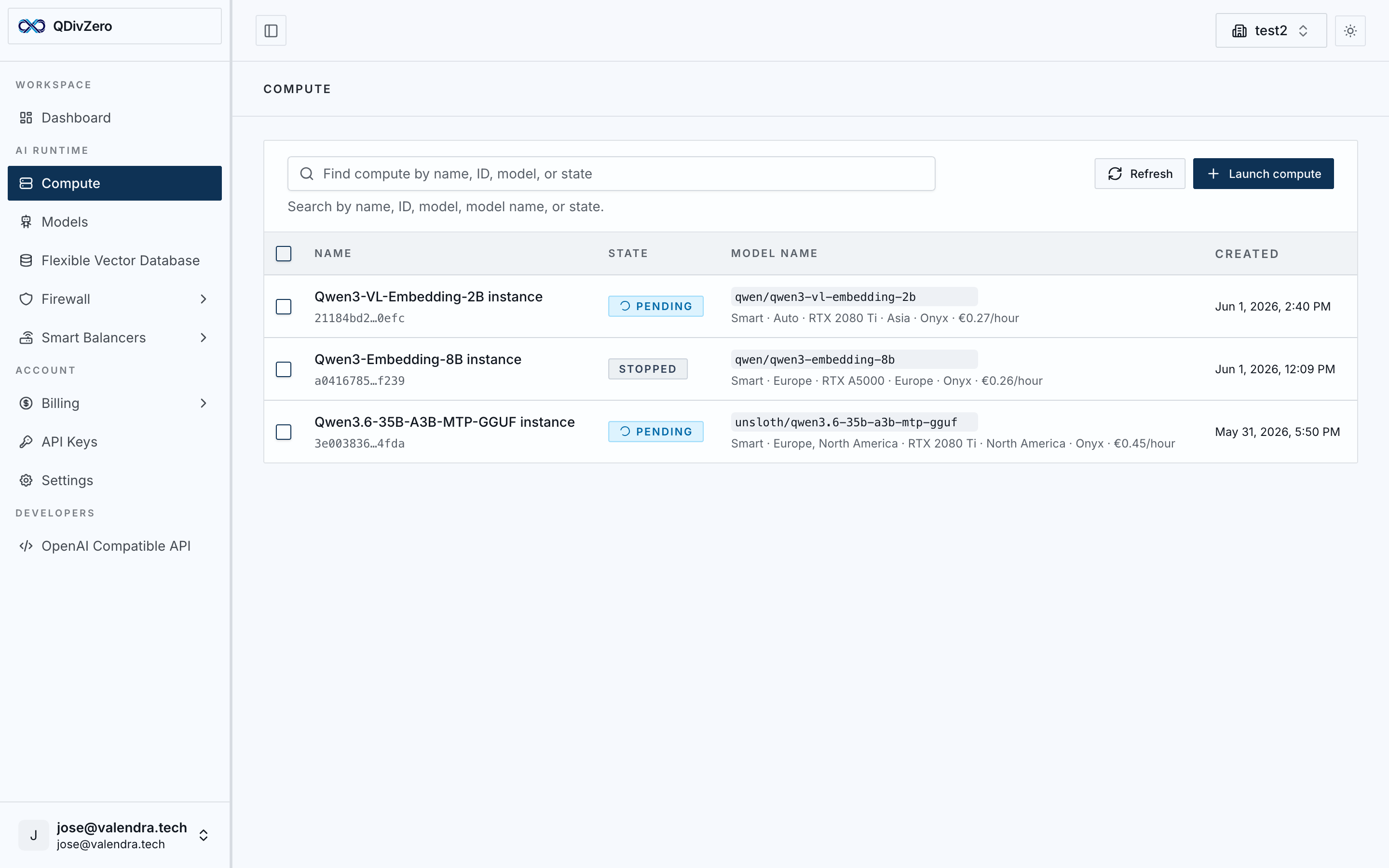
Choose a compatible Hugging Face model. Smart scheduling removes manual GPU selection for standard deployments.
The scheduler selects the optimal capacity across available providers. Runtime, networking, and scaling are provisioned automatically.
Your model is exposed as an OpenAI-compatible endpoint. Use the Python SDK or any HTTP client for compatible deployments.
Use a rate locked at launch; active time is billed by the second. Scale up when you need more capacity and stop when you don’t. Pricing is tied to active capacity, not user count; additional traffic may require more capacity.

Example workload
8 h/day · 20 days/month
Indicative comparison; benchmark and pricing context available on request.
Calculated at 8 hours/day, 20 working days/month. Actual costs depend on your usage pattern and can be lower with scheduled start/stop rules.
Example workload
8 h/day · 20 days/month
Multimodal embedding model. Generate embeddings from text and images at predictable cost.
Calculated at 8 hours/day, 20 working days/month. Actual costs depend on your usage pattern and can be lower with scheduled start/stop rules.

Example workload
8 h/day · 20 days/month
Indicative comparison; benchmark and pricing context available on request.
Calculated at 8 hours/day, 20 working days/month. Actual costs depend on your usage pattern and can be lower with scheduled start/stop rules.

Example workload
8 h/day · 20 days/month
Indicative comparison; benchmark and pricing context available on request.
Calculated at 8 hours/day, 20 working days/month. Actual costs depend on your usage pattern and can be lower with scheduled start/stop rules.
External provider estimates
Illustrative estimate; actual cost depends on active capacity. External providers are estimated at 15M input + 10M output tokens/month. Output is usually the expensive side.

Claude 3.7 Sonnet
200k context

GPT-5.4 mini
OpenAI fast tier
GPT-5.5
OpenAI standard tier
Opus 4.7
Anthropic reasoning tier
Pricing is tied to active capacity, not user count; additional traffic may require more capacity.
Indicative estimates; benchmark and pricing context available on request. Prices depend on actual resource allocation.
Regional controls, verified capacity, and private-by-default operations for production AI workloads. Add Firewall when policy must sit in the request path.
Regions
European deployments for GDPR-sensitive workloads, with the option to disable unverified servers.
Runtime
Verified runtime images and regional scheduling controls.
Privacy
We do not store conversation logs.
Create cron rules to turn instances on before traffic and off after hours. Lower the invoice, cut idle energy use, and keep operations predictable.
Pay only while compute is actually running.
Avoid overnight and weekend GPUs consuming power without work.
Bring instances up before users, jobs, or office hours begin.
Time-based start and stop rules for this instance.
Action
Start
Timezone
UTC
Cron expression
0 9 * * 1-5
Action
Stop
Timezone
UTC
Cron expression
0 19 * * 1-5
Deployment, routing, pricing, security, scheduling, and API compatibility in one runtime.
Pick a model and let Compute validate runtime requirements and prepare capacity for serving.
The scheduler selects capacity across available providers for cost, availability, and latency.
Mount persistent disks into multiple workloads, share them across launches, and keep them attached when Compute reschedules the workload on another provider.
Expose deployed models behind the standard OpenAI contract so existing clients keep working.
Use cron-based start and stop rules so workloads run when needed and stay off when they do not.
Compute instances use active-capacity pricing; Public Models remain token-priced.
Apply regional controls, verified runtime checks, and private-by-default operations for production workloads.
Storage service
Storage gives Compute a state layer that is not tied to one provider. Mount the same disk across multiple workloads, share it when a process needs common state, and keep it available if the runtime lands somewhere else. It is also a fit for fine-tuning checkpoints, model caches, and quantization outputs that need durable scratch space for faster startup.
The control plane can move the instance, but the disk keeps following the job. That is what makes stateful workloads portable across providers.
Storage behavior
Keep checkpoints, fine-tuning runs, model caches, and quantization outputs attached to the workload across launches.
Mount one disk into multiple workloads when a pipeline needs the same state layer.
If Compute moves the workload from one provider to another, the storage layer keeps following it.
Point existing OpenAI-compatible code at QDivZero and run production AI workloads on capacity-priced infrastructure.
View docsfrom openai import OpenAI
client = OpenAI(
base_url="https://api.qdiv0.com/v1",
api_key="your-api-key",
)
response = client.chat.completions.create(
model="your-model",
messages=[
{"role": "user", "content": "Hello world"}
],
)Compute abstracts infrastructure decisions so you can focus on your product. Start with a model, then add retrieval, guardrails, or routing as your workload grows.